> For the complete documentation index, see [llms.txt](https://docs.flatqube.io/llms.txt). Markdown versions of documentation pages are available by appending `.md` to page URLs; this page is available as [Markdown](https://docs.flatqube.io/use/tokens/interface/token-page.md).
# Token page
Select one of the tokens in the Tokens section to go to that token's page. Below you will find a description of all blocks on this page.
The page of any token is divided into several blocks, let's consider each of them.
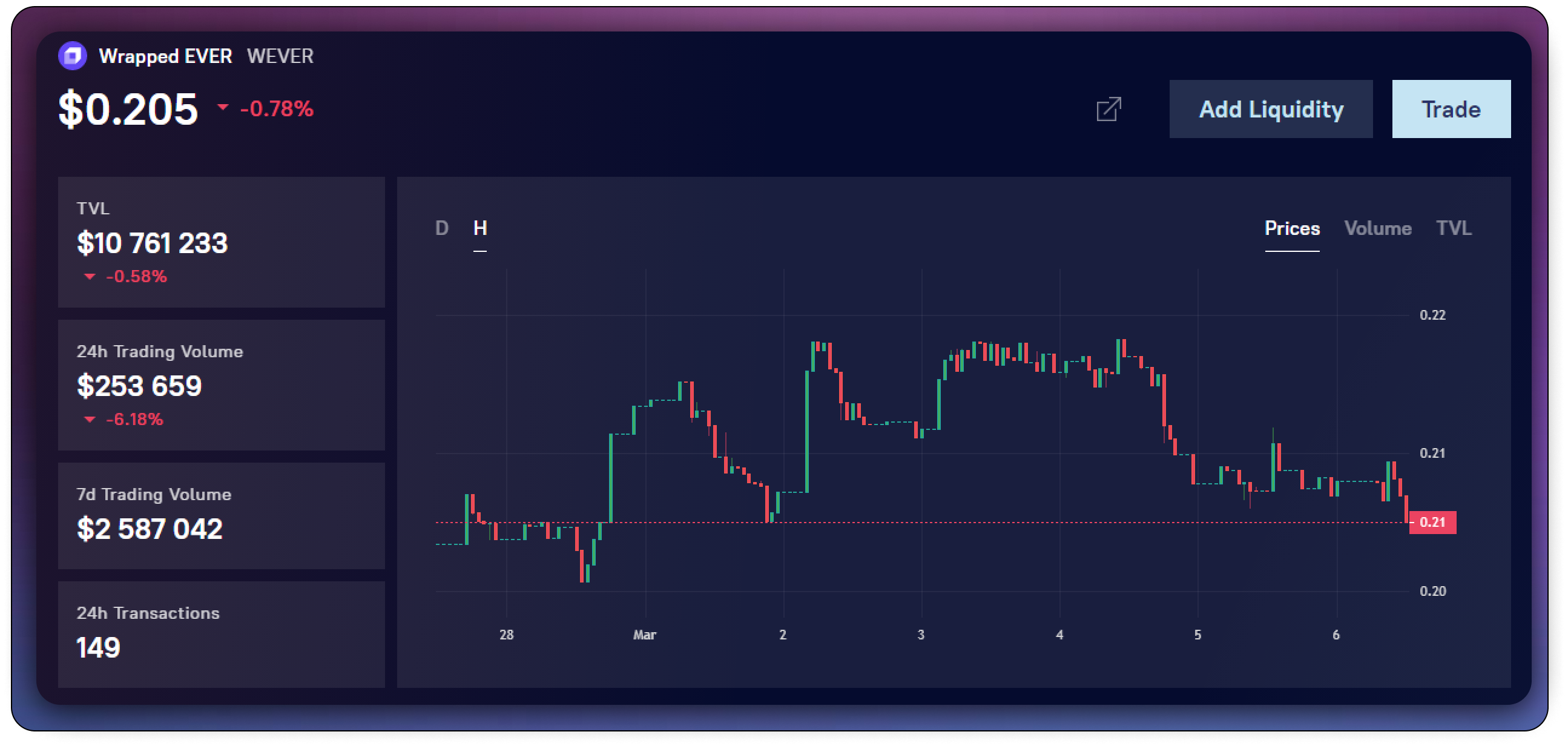
### Upper block
The following functions are available in this block
* [**Token price**](/use/tokens/interface/token-page/price.md) chart
* [**Volume** ](/use/tokens/interface/token-page/trading-volume.md)chart
* [**TVL** ](broken://pages/O5ExJrTq4t35dX1GPAFl)chart
* [**Add liquidity**](/use/pools/how-to/add-liquidity.md) - click to go to the page for adding liquidity paired with this token
* [**Trade** ](/use/swap.md)- swap this token
* [**Open in explorer**](/use/tokens/interface/token-page/open-in-explorer.md) - click on the arrow in the upper right corner of the top block to go to the token page in the explorer
Also on the right side of this block you can see information about:
* [**TVL**](/use/tokens/interface/token-page/tvl.md)
* [**Trading volume**](/use/tokens/interface/token-page/trading-volume.md) for the last 24 hours
* [**Trading volume**](/use/tokens/interface/token-page/trading-volume.md) for the last 7 days
* **Number of transactions** in the last 24 hours
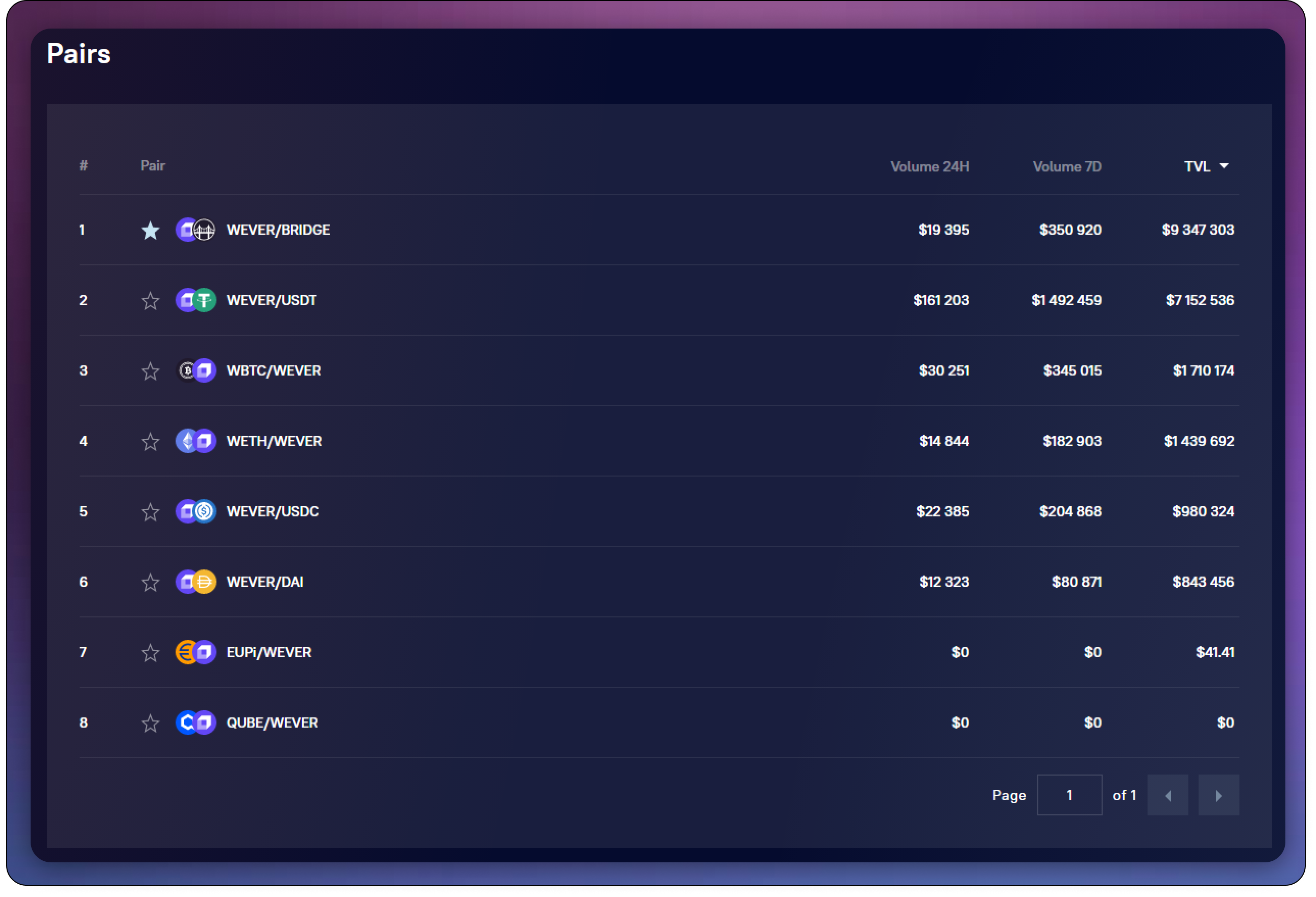
### [Pairs block](/use/tokens/interface/token-page/pairs.md)
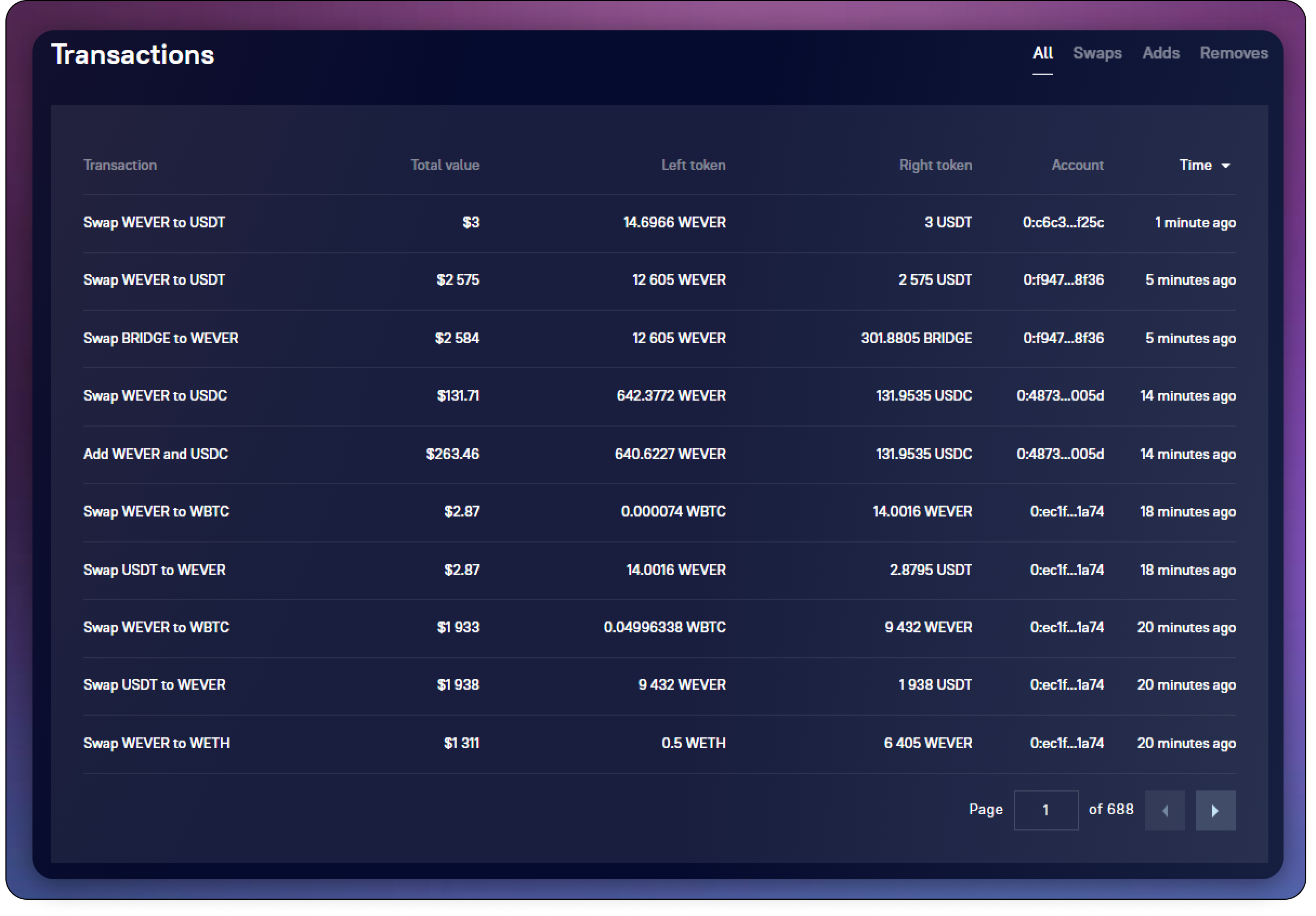
### [Transactions block](/use/tokens/interface/token-page/transactions.md)
###