> For the complete documentation index, see [llms.txt](https://docs.flatqube.io/llms.txt). Markdown versions of documentation pages are available by appending `.md` to page URLs; this page is available as [Markdown](https://docs.flatqube.io/use/farming/new-farming/interface/farming-page-user.md).
# Farming page (user)
In order to go to the Farming pool page, you need to click on one of the pools in the [Farming section.](/use/farming.md)
The farming pool page displays detailed information about that pool.
Let's take a closer look at each block of this page using the QUBE/WEVER farming pool as an example.
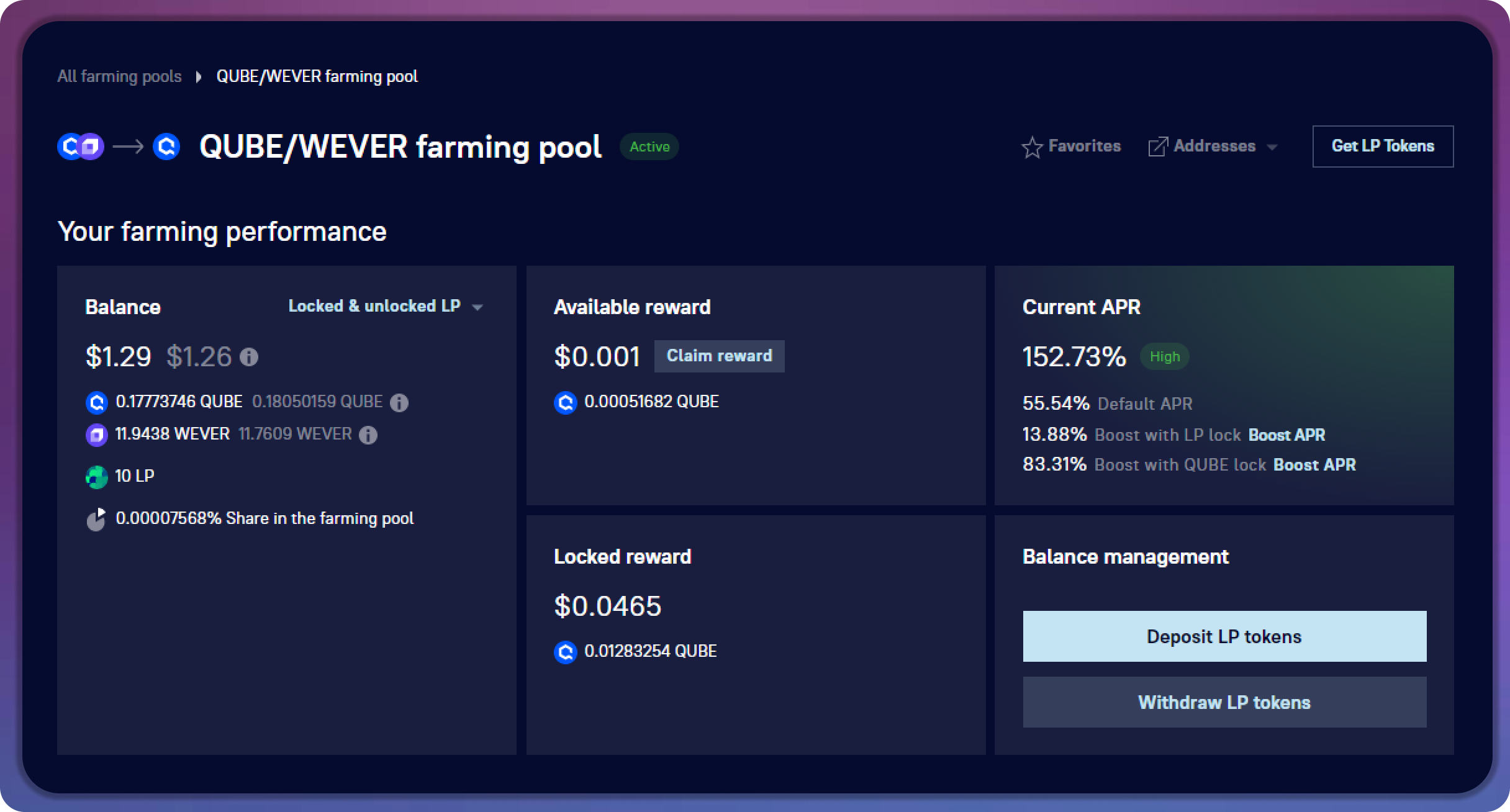
## [My farming performance and deposits](/use/farming/new-farming/interface/farming-page-user/farming-performance-and-deposits.md)
This blocks displays information about your balances in this farming pool.
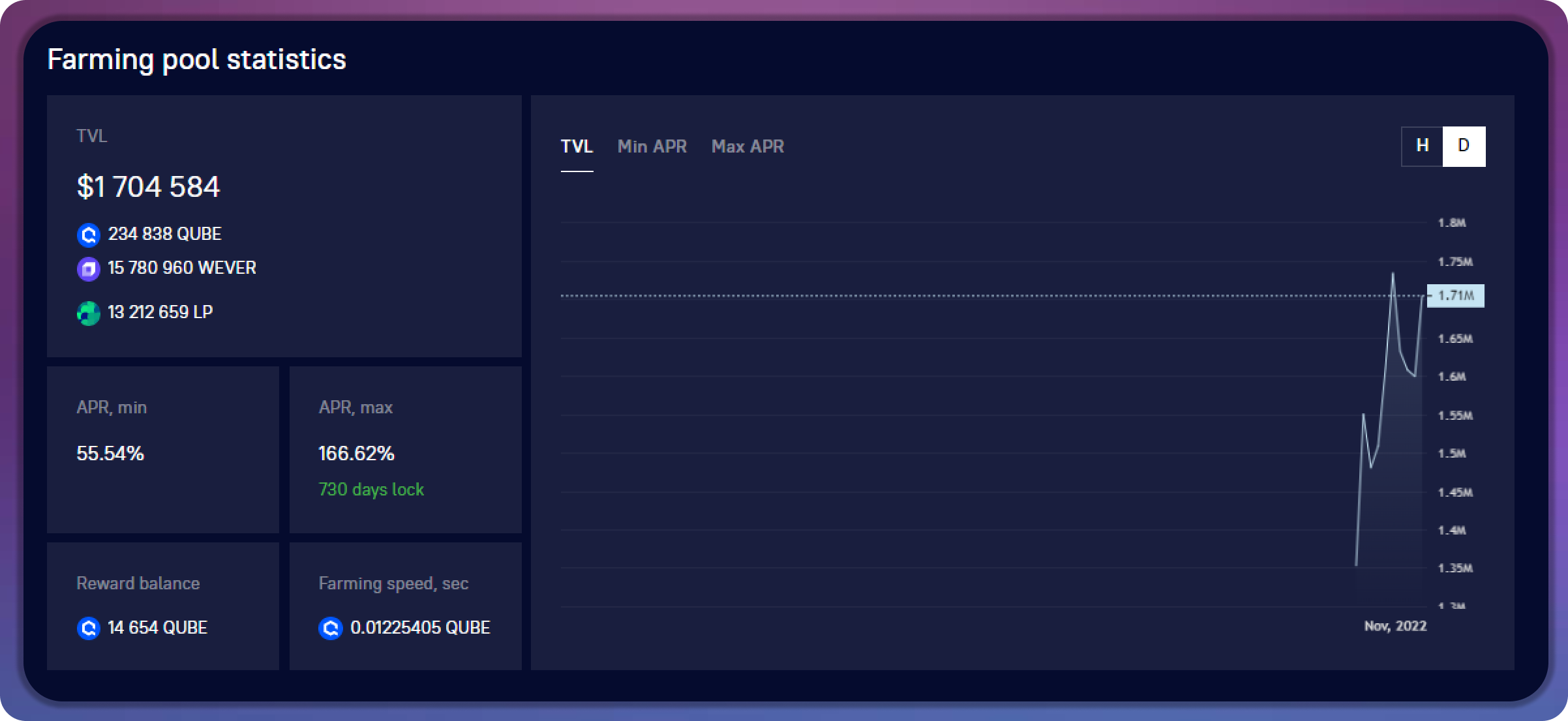
## [Farming pool statistics](/use/farming/new-farming/interface/farming-page-user/statistics.md)
This block displays the statistics of this Farming pool, as well as a graph of its TVL and APR.
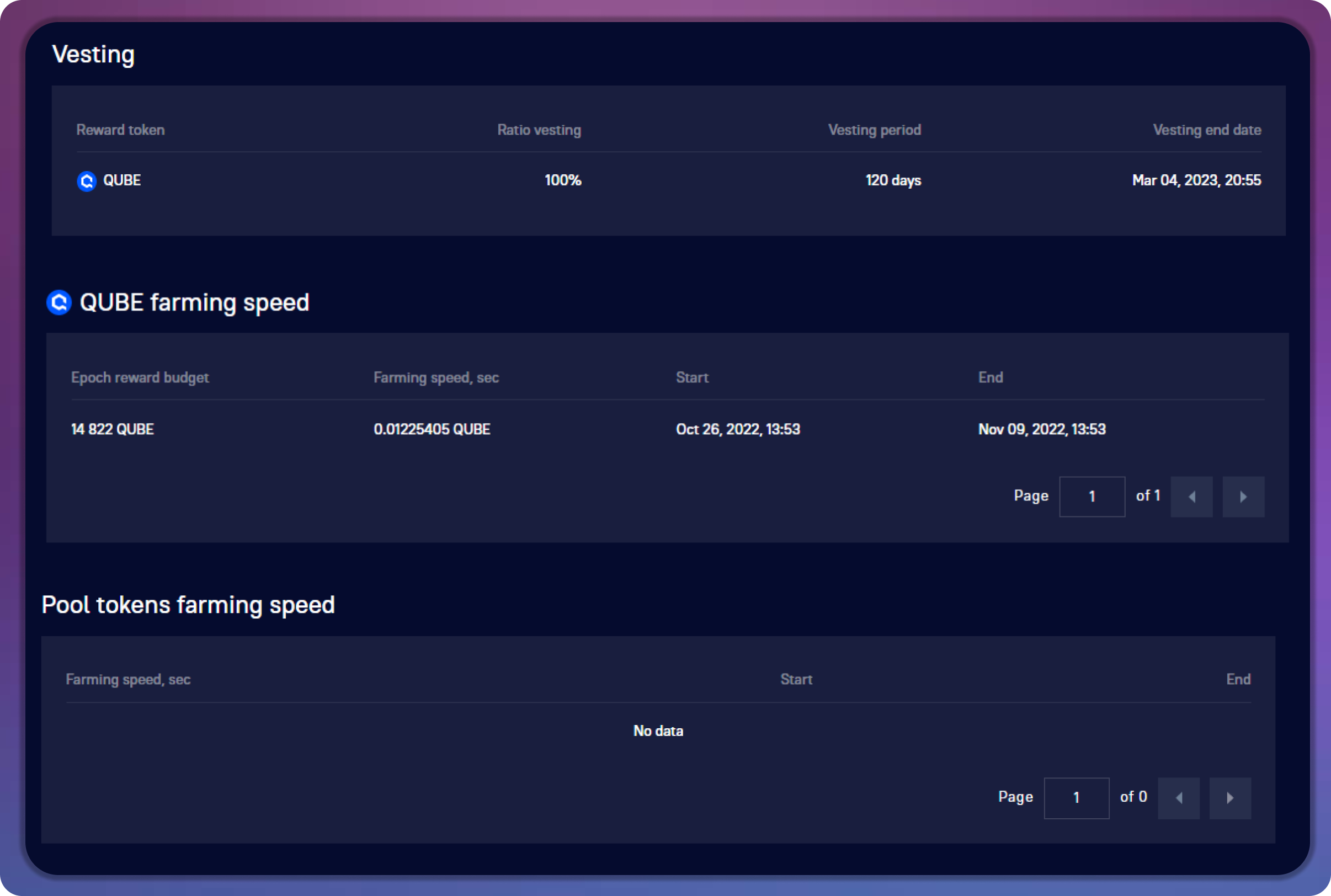
## [Farming speed](/use/farming/new-farming/interface/farming-pools.md)
This block displays the current farming speed, the history of its changes, as well as information about vesting.
## [Transactions](/use/farming/new-farming/interface/farming-page-user/transactions.md)
This block displays information about the latest [transactions ](/use/farming/new-farming/interface/farming-page-user/transactions.md)in this farming pool.
.png?alt=media)